Say goodbye to manual eTIMS.Retire your ETR.
AutoeTIMS links your accounting software straight to KRA eTIMS. No accounting software? Our POS does the same. Every invoice is signed and back with you in seconds.
01Connecting to the KRA
Signing is simple
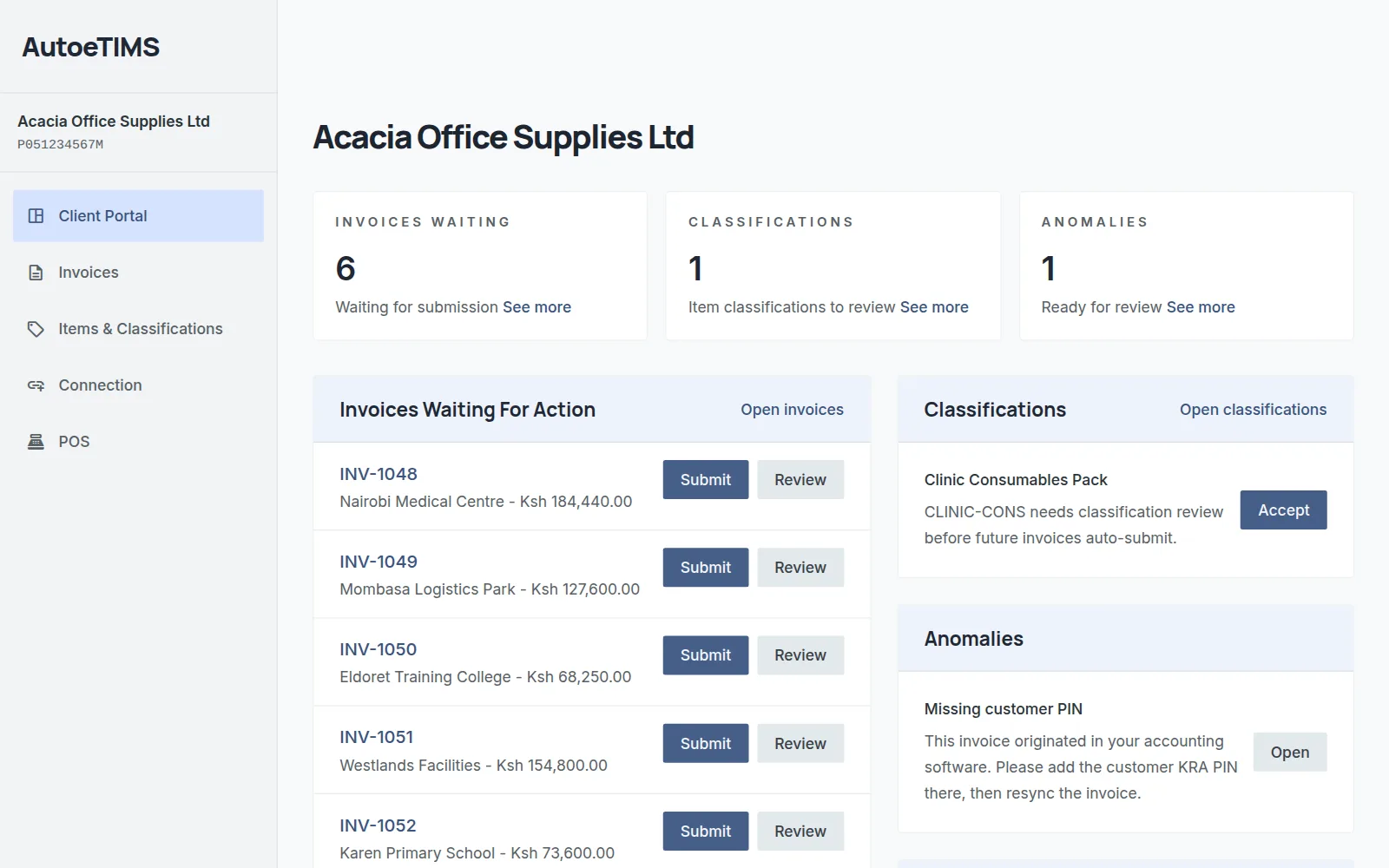
Invoices sync from your accounting software automatically. Review and submit them from your Dashboard with a single click, or switch on full auto. Each one comes back signed, with the KRA QR code on its PDF.
02Classification
Automatic KRA item codes
Name items the way you always have. AutoeTIMS finds the right KRA item code and tax code, and remembers them. Anything it's unsure of waits for your confirmation.
03Point of sale
No accounting software? Use our POS
Ring up a sale on the AutoeTIMS POS. eTIMS signs it at the till, and your customer leaves with a receipt bearing the KRA QR code.
- devices
Any device, any screen
Sell from the phone, tablet or computer you already own.
- wifi_off
Works offline
Keep selling when the connection drops. Sales are signed the moment you're back online.
- print_disabled
No ETR, no extra hardware
Print the receipt or send it, KRA QR code included.
04Integrations
Works with what you already use
Signed invoices go back where they came from, PDF and QR code attached.
 Xero
Xero QuickBooks
 Odoo
Odoo ERPNext
- AutoeTIMS POS
 ShopifyOn request
 WooCommerceOn request
- Custom APIOn request
Something else? Tell us what you invoice from →
05Questions
FAQ
Do I still need to enter invoices into eTIMS?expand_more
No. Once you're connected, every invoice goes to eTIMS through AutoeTIMS and comes back signed. You never key an invoice into eTIMS yourself.
I don't use accounting software. Can I still use AutoeTIMS?expand_more
Yes. Run your business on the AutoeTIMS POS. Every sale is signed with eTIMS at the till, and the receipt carries the KRA QR code.
Do I need to change how I invoice?expand_more
No. Keep creating and approving invoices in Xero, QuickBooks, Odoo or ERPNext exactly as you do now. The signed PDF, with its QR code, is attached to the original.
Do invoices sign automatically, or do I approve them?expand_more
Your choice. Approve each invoice in the Dashboard, or switch on automatic signing and let every approved invoice go straight through.
How does item classification work?expand_more
AutoeTIMS matches your products and services to KRA's item codes. Confident matches are applied; anything uncertain is held for you to confirm. Each item is set once and remembered for every future invoice.
What happens if an invoice can't be signed?expand_more
It's held, not lost. The Dashboard shows exactly which invoice is blocked, why (for example a missing customer PIN), and what to do next. Fix it and sign again.